01First release
Build your first version
Turn a rough idea into a brief, a prototype and a first release you can review.
Replace the work of Jira, Confluence, Notion, Figma, Miro and Canva in one AI Agentic SDLC. Plan, document, design, code, test and ship with your existing agents.
$19 / user / month · No extra Sydla AI or token fees. Your Claude Code and Codex subscriptions stay separate.
Free local use · Ubuntu 26.04+ · x64 · .deb
WORKS WITH YOUR EXISTING ACCOUNTS

 Codex
Sydla$19
The six selected plans add up to $83.85/user/month. Sydla is $19. Save $64.85 per month for this example stack.*


That idea in your notes deserves a launch. Bring the brief. Let your agents move the work forward. Review what matters and put something real in front of customers.
Your direction. Your agents. Your decision to ship.The idea you keep coming back to
Turn a rough idea into a brief, scope and acceptance criteria.
A clear next stepKeep docs, design and code connected as your agents contribute.
Work you can inspectReview the evidence, decide what to release, and bring customer feedback into the next iteration.
The next iteration starts hereWatch a team design, build and review an interface in one shared workspace.
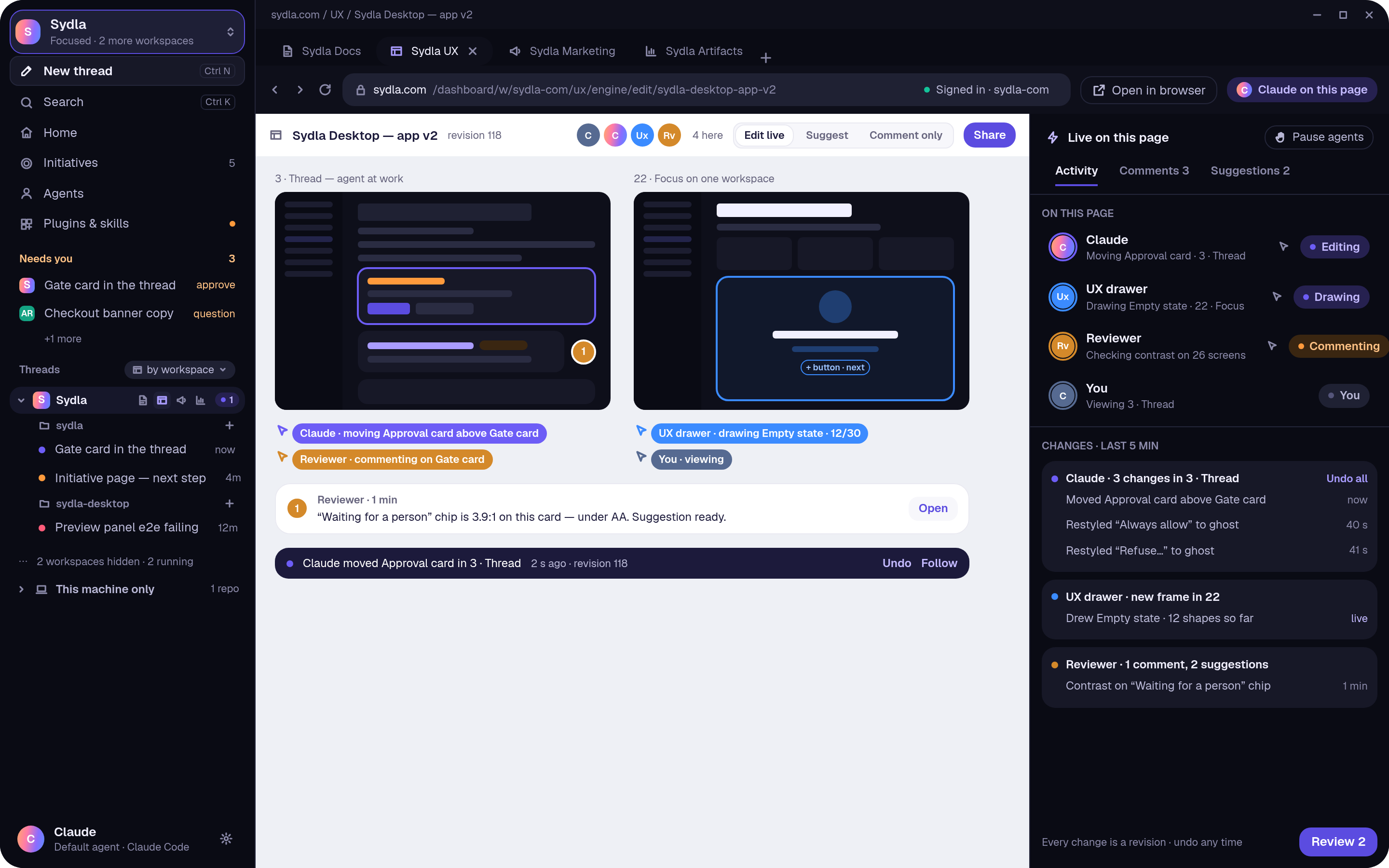
Blocks, words and agents working on the same page.
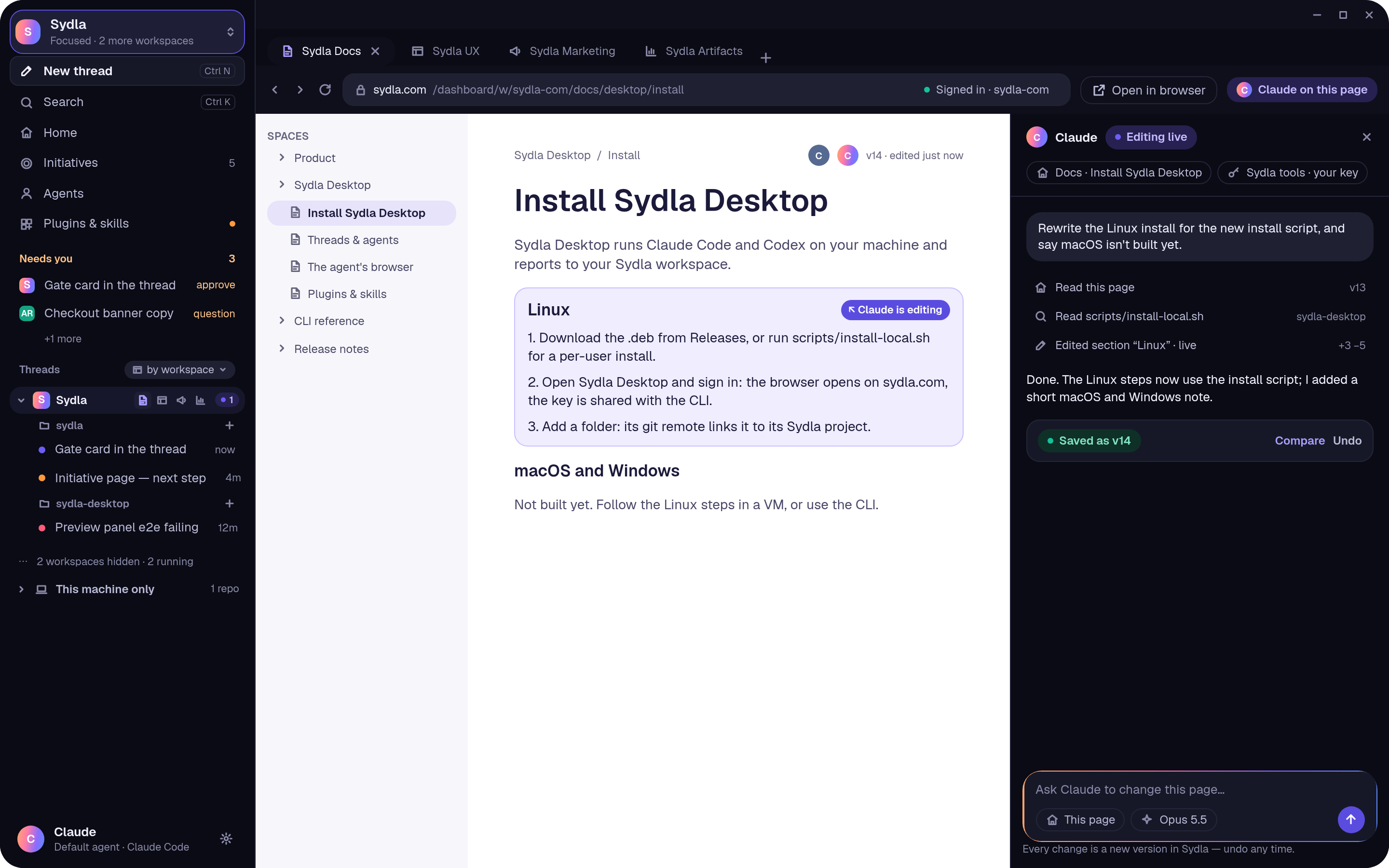
Sydla Desktop runs Claude Code and Codex on your machine and reports to your Sydla workspace.
Update the installation steps…
One Sydla subscription per user. Compare it with the six paid monthly plans below.
| Official pricing | USD / user / month · monthly billing |
|---|---|
 JiraStandard · 1–100 | $9.70 |
 ConfluenceStandard · 1–100 | $7.15 |
 NotionPlus | $12.00 |
 FigmaProfessional · Full seat | $20.00 |
 MiroStarter | $10.00 |
 CanvaBusiness | $25.00 |
| Jira + Confluence + Notion | $28.85 |
| All six selected plans | $83.85 |
$19
USD / user / month · billed monthly
Planning, docs, UX, code, QA and launch in one workspace.
Compared with the six-plan example shown.
Example: one paid seat in each of the six plans per person. Jira + Confluence + Notion total $28.85; all six total $83.85.
Monthly USD prices before tax, checked 14 Nov 2026. Atlassian: 1–100 users. Figma: Full seat. Canva: Business, US. Free tiers and annual discounts excluded. Open a row for the official source.
Your Claude Code and Codex subscriptions remain separate.
Maya gives her AI team one goal. The brief becomes screens, code and evidence she can review.
Maya and the product agent agree on the export fields, access rules and acceptance criteria.
The UX agent designs the export action, empty states and download feedback. Maya reviews the screens.
The developer agent implements the agreed flow and brings the GitHub PR or GitLab MR back for review.
A separate QA agent checks the criteria. Maya reviews the evidence and decides whether to release.
Maya can follow every handoff and review the work before deciding to release.
Explore the product, UX, developer, QA and release agents at work on the same request. Review their deliverables at each stage.
The UX agent designs the export action, empty states and download feedback. Maya reviews the screens.
Export fields, access rules and acceptance criteria stay beside the design.
The agent prepares the export action, empty states and download feedback.
Maya can inspect the screens and request changes before development.
One connected lifecycle: a shared brief, screens, code, evidence and a release you can review.
CodexUse your existing Claude Code account in Sydla Desktop. Follow its actions, tools and changes as they happen.
Use Codex with the account you already have. Keep the plan, screens and code changes in the project’s context.
Watch a real native app session: from a billing-export brief to code, tests and review.
Get SydlaRecorded native app session with Codex. Edited to 30 seconds; waiting times shortened. The 11 acceptance tests pass.
Turn a rough idea into a brief, a prototype and a first release you can review.
Keep the billing-export spec, UX, code and acceptance checks in the same story.
Share desktop and mobile screens, compare the states and collect feedback before building.
Bring the reproduction. Review the proposed fix and the checks that prove it in GitHub or GitLab.
The planning of Jira, the knowledge of Confluence and Notion, the design work of Figma and Miro, and launch assets in place of Canva — connected to the same project.
Jira ConfluenceNotionFigmaMiro
 Canva

Native Sydla UX previews · illustrative content
A few practical things about working with Sydla.
You define the goal, review the scope and approve the configured gates. Agent activity and deliverables stay visible.
Yes. The work stays linked to the code changes in your GitHub PR or GitLab MR.
No. Sydla adds no AI subscription or per-token charges. You use your own Claude Code or Codex account; your provider plan remains separate.
Replace your separate tools with Sydla, your all-in-one AI Agentic SDLC. Keep using your Claude Code and Codex accounts.
$19 / user / month · No extra Sydla AI or token fees. Your Claude Code and Codex subscriptions stay separate.
$19USD / user / month
Get Sydla